1
windows upgrade
Lucas Mathews edited this page 2025-12-28 12:09:36 +01:00
Upgrade Windows Home to Windows Pro
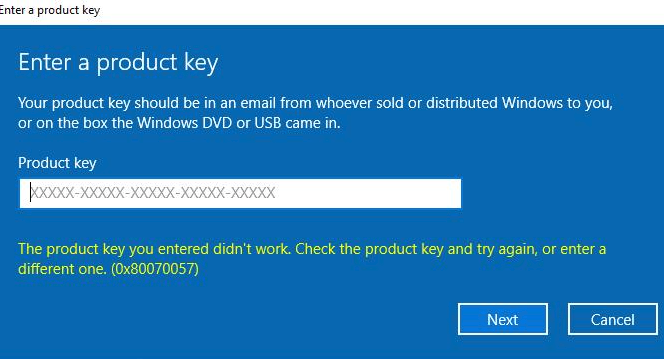
When trying to update a Windows 10 or 11 install to Pro, by going to Start > Settings > System > Activation > Change product key, and entering a valid Windows Pro edition product key, you may get the below error:
The product key you entered didn't work. Check the product key and try again, or enter a different one. (0x80070057)
To get around this, you will need to use a Windows Generic Key first to upgrade it to Pro
- The key for Windows 11 Pro is: VK7JG-NPHTM-C97JM-9MPGT-3V66T
- Other versions can be found here: Windows 11 Generic Keys for All Editions (winaero.com) - Before entering this key, disconnect the device from the network
- Then go to the Activation settings and Select Change Product Key
- Enter the generic key from above and press OK. This will then prompt for an upgrade to Pro. Press OK
- This will then reboot and once it has powered on again, it will be Windows 11 Pro
- Now you need to reconnect it to the network and navigate to the activation settings, and select Change Product key.
- Now enter the product key purchased by the customer. The device will now be activated correctly.